Best-Of Guide

The Best Coding Apps for Kids Ages 8-10

I scored 69 coding apps for kids. I'm not convinced my own kids need one.

By Mike Overell · Updated April 2026 · 14 min read · 7 picks from 69 scored

No ads. No affiliate links. How I research →

Most coding apps for kids teach the same thing: drag blocks, solve puzzles, collect stars. The child follows someone else's sequence and the app calls it coding. Is that worth your kid's time in 2026?

My kids are 10 and 8, and we're not putting energy into coding at home. Today I build things by speaking English to AI agents that write every aspect of code through to production. That level of abstraction worries me for an eight-year-old, who is still learning fundamentals. So we're putting extra time into creative problem-solving through things like Beast Academy, 3D printing, and robotics clubs.

If you've decided coding is the path for your kid, or if they've decided for themselves, this guide is for you. I scored 69 products in this age range, looking for the few that build the underlying skill instead of dressing up a puzzle as coding. Seven passed.

My top pick

Scratch. Free and open-ended. Didn't stick at home for my kids. I'm recommending it anyway.

Free alternative

A local robotics team, coding club, or library makerspace. A real project with other kids may do more than any app on this list.

What I left out

62 products. Most are dressed-up puzzles: drag blocks, collect stars, never make anything original.

What I tell friends

I'm not sure coding apps matter at this age. If your kid has something they want to build, Scratch is the place to start. If not, don't force it.

My kid has ideas and wants to build something Scratch · Free, browser-based, and purpose-built for kids who have something they want to make.
My kid loses interest if it's all on screen Sphero · Connects block-based commands to a robot they can hold; what happens on screen immediately happens in the room.
My kid gives up on open-ended tools CodeCombat · Levels, missions, and real Python/JavaScript mean there's always a next thing to unlock — no blank canvas to stare at.
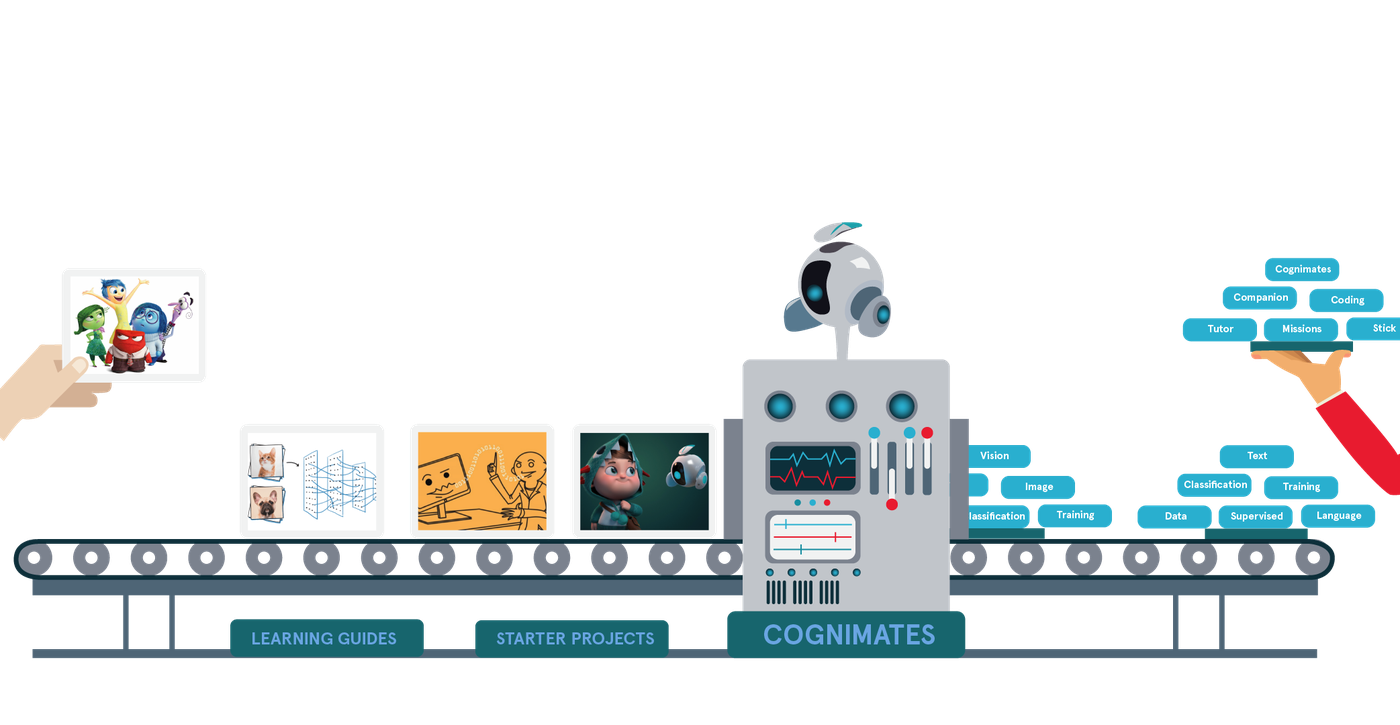
My kid is curious about AI Cognimates · Lets kids train their own simple AI models, so the question "how does it know that?" becomes something they can answer by building.
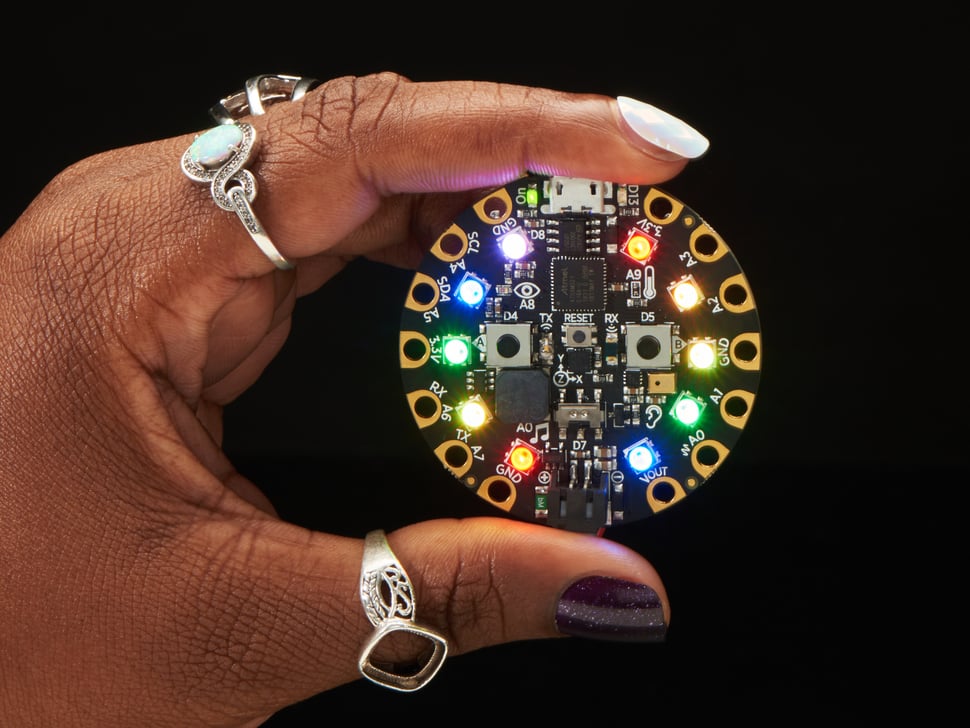
We want to try something this weekend Adafruit Circuit Playground · Connect it, run a simple script, make it light up or play a sound — a complete experience in one session.

Is your kid ready for a coding app?

Do they have something they want to make? A game, an animation, a robot that moves. "I want to learn to code" is your goal, not theirs. The kids who stick with coding tools have a project in mind before they open the app.

Can they sit with frustration for 20 minutes? Code breaks. Constantly. If your kid shuts down at the first error message, a team setting or a workshop with an adult nearby will serve them better than a solo app. That's not a failing. It's a signal about what structure they need.

Are they choosing this, or are you? If you're the one suggesting it and they're saying "sure, I guess," save your money. The single best predictor of whether a coding app sticks is whether the kid asked for it.

A free Scratch account and a project idea your kid picked will outperform most paid apps. If your kid clears all three, start there. If they need more structure, look for a local robotics team or library workshop first. If they're the type who gets a buzz from making things work solo, the seven picks below should help.

The Question You're Really Asking

Should my kid learn to code in the age of AI?

Optimists Even if AI writes all code within a decade, someone who understands how technology works has an edge over someone who treats it as a black box. They will have the ability to question, tinker, and build rather than just consume.

Skeptics Employment for software developers aged 22-25 has declined nearly 20% from its 2022 peak (Brynjolfsson et al., 2025). And most kids' coding apps teach pattern-matching and instruction-following, not genuine problem-solving.

The research Research on computational thinking reframes the question. The value of learning to code was never about producing software engineers. It leads to a mode of reasoning: decomposing problems, recognizing patterns, abstracting complexity (Wing, 2006). A review of 27 programming studies found these outcomes most pronounced when kids code together, not alone (Lye & Koh, 2014). Children who struggle before receiving instruction develop deeper conceptual understanding (Kapur, 2012). Coding is just a vehicle. The destination is a way of thinking.

My Take

We tried codeSpark with my eldest a couple of years ago. Every time I suggested it, she'd say "no thanks" and open something else.

Then I coached a FIRST LEGO League robotics team. Same block-based coding, completely different energy. The team had a project they'd chosen, real problems to debug, other kids arguing about why the robot kept overshooting the line. One kid wanted to code. Another wanted to build. My daughter wanted to run the project.

Now, I'm not sure coding is actually important at this age. What mattered was the collaboration, the shared goal, and problem-solving along the way. The coding was just the medium. If your kid takes to it, great. If not, there are other ways to build similar skills, at least at this age. Find what fits (and feels fun!).

Top Picks
Top Pick · Ages 8-10
Scratch logo

Scratch

For kids who'd rather make than solve
Cost
Free
Platform
Browser (any device)
Ages
8-16
Literacies
Agency · Persistence · Adaptability +2 more
Scratch project interface

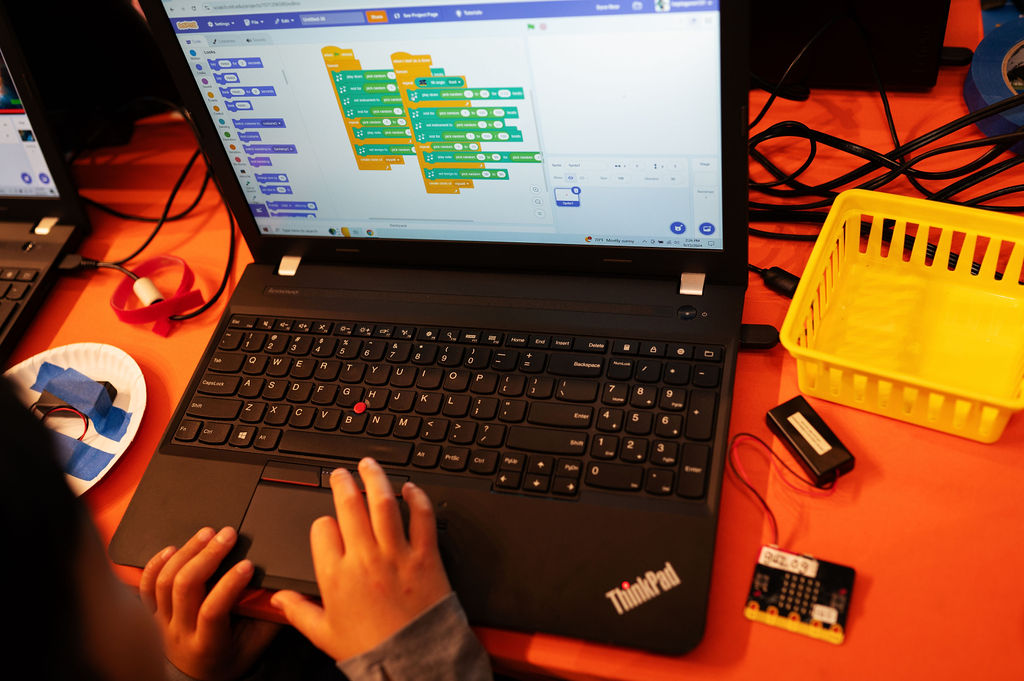
Scratch didn't stick at home for my kids. I'm recommending it anyway. It's the most open-ended creative tool in the category, the best-documented by researchers, and the one that most reliably produces "I made this" moments when a kid encounters it inside a project or group.

Scratch earns the top spot because of what happens after the first tutorial. A kid realizes they can make anything they want. It's a free visual programming environment from MIT, but calling it a coding app undersells it. Kids use blocks to build games, stories, and animations. The coding is incidental to the creating. They choose what to make, how to make it, and when to call it done.

What makes it exceptional for this age: projects break constantly, and the debugging is visible. Kids can see which block is executing, form a theory about why their sprite disappeared, and iterate. A billion shared projects means they can remix other kids' work, the same way professional developers actually learn.

Mike's Take

My kids use Scratch at school once a week. It hasn't stuck at home. What unlocked coding for my daughter was her robotics team. Same block-based coding, completely different energy.

Strengths

  • + Kids control every creative decision. Strongest agency builder on this list.
  • + Debugging is visible and fast enough to keep kids engaged through mistakes
  • + Huge remix community turns reading other kids' code into a core learning habit

Limitations

  • - A blank canvas can freeze kids who need more structure to get started
  • - No built-in scaffolding for frustration; some kids will need a parent nearby
  • - Community interaction is asynchronous. Doesn't build real-time collaboration.
Skip if

Your child freezes at a blank canvas. A goal-driven game like CodeCombat is a better on-ramp.

Read the full Scratch guide
Sphero logo

Sphero

For kids who need code made real

Cost
~$150 (Sphero BOLT)
Platform
Robot + tablet/computer app
Ages
5-14
Literacies
Agency · Persistence · Adaptability +2 more
Sphero robot and coding app

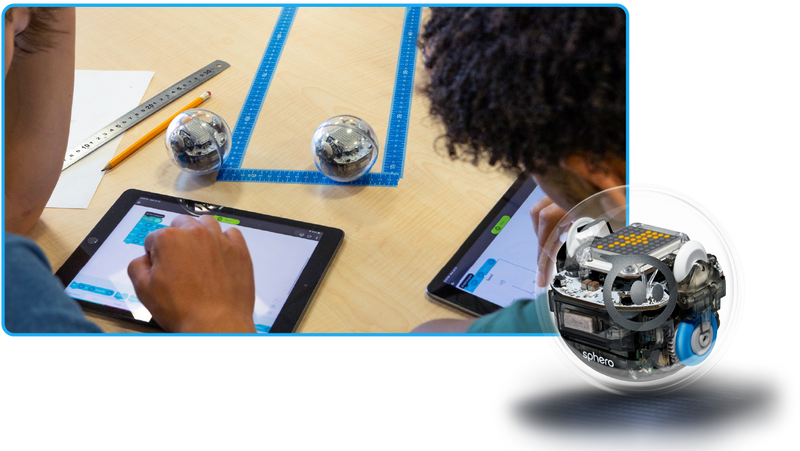
When code goes wrong on a screen, kids can ignore it or close the tab. When a robot drives off the table, the feedback is unmistakable. Sphero BOLT is a baseball-sized programmable robot. Kids write code, from drag-and-drop blocks up through JavaScript, and watch it execute in physical space. A bad conditional isn't abstract; the robot does the wrong thing in front of them.

That cycle is the whole point: write, test, watch it fail, redesign. Fast enough to stay engaging, hard enough to require real problem-solving. Classroom-ready materials stretch the same robot across math, science, and engineering, so it isn't a single-purpose toy.

Strengths

  • + Physical feedback makes coding feel consequential in a way screens don't
  • + Grows with the child from block coding into JavaScript on the same device
  • + Cross-subject materials extend it well beyond a coding toy

Limitations

  • - Often a solo experience at home unless a parent or sibling joins in
  • - ~$150 is the highest price point on this list
  • - Creates productive frustration but leaves coping entirely to the child
Skip if

You want a screen-only experience or your budget is tight. Adafruit Circuit Playground delivers similar physical-computing value for ~$25.

Independent reviews: Tom's Hardware (3.5/5), TechRadar (3.5/5)

Read the full Sphero guide
CodeCombat logo

CodeCombat

For kids who need a specific goal

Cost
Freemium (5 levels free, Premium ~$10/mo)
Platform
Browser
Ages
9-14
Literacies
Agency · Persistence · Adaptability +1 more
CodeCombat gameplay interface

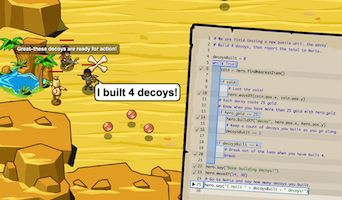
CodeCombat doesn't wrap a game around tutorials. The game is the coding. Kids type real Python or JavaScript to move a hero through fantasy dungeons. The editor auto-completes syntax and color-codes structure, so an 8-year-old can focus on logic (sequences, conditionals, loops) rather than semicolons.

The fit is for kids who need a goal before they'll start. Every dungeon is a specific problem, the hero succeeds or fails visibly, and a fix is usually a few keystrokes away. Premium unlocks game and web development courses plus level-design tools, which is where the experience pivots from playing someone else's game to building your own.

Strengths

  • + Real Python and JavaScript from day one, not a proprietary block language
  • + RPG structure gives the motivation a blank canvas can't
  • + Premium tools push kids from consumption into genuine creation

Limitations

  • - Solo-focused; no multiplayer or shared build features
  • - The best content sits behind a subscription
  • - Structured levels will feel constraining to a kid who already loves creating
Skip if

Your child already loves making their own thing. That kid wants Scratch or Hopscotch.

Independent review: Common Sense Media (4/5). Rates it ages 14+; younger kids may need a parent nearby for the text-based coding.

Read the full CodeCombat guide
Raspberry Pi logo

Raspberry Pi Starter Kit

For families who learn together

Cost
~$70 (board + starter kit)
Platform
Hardware + any language
Ages
8-16
Literacies
Agency · Persistence · Adaptability +2 more
Raspberry Pi starter kit

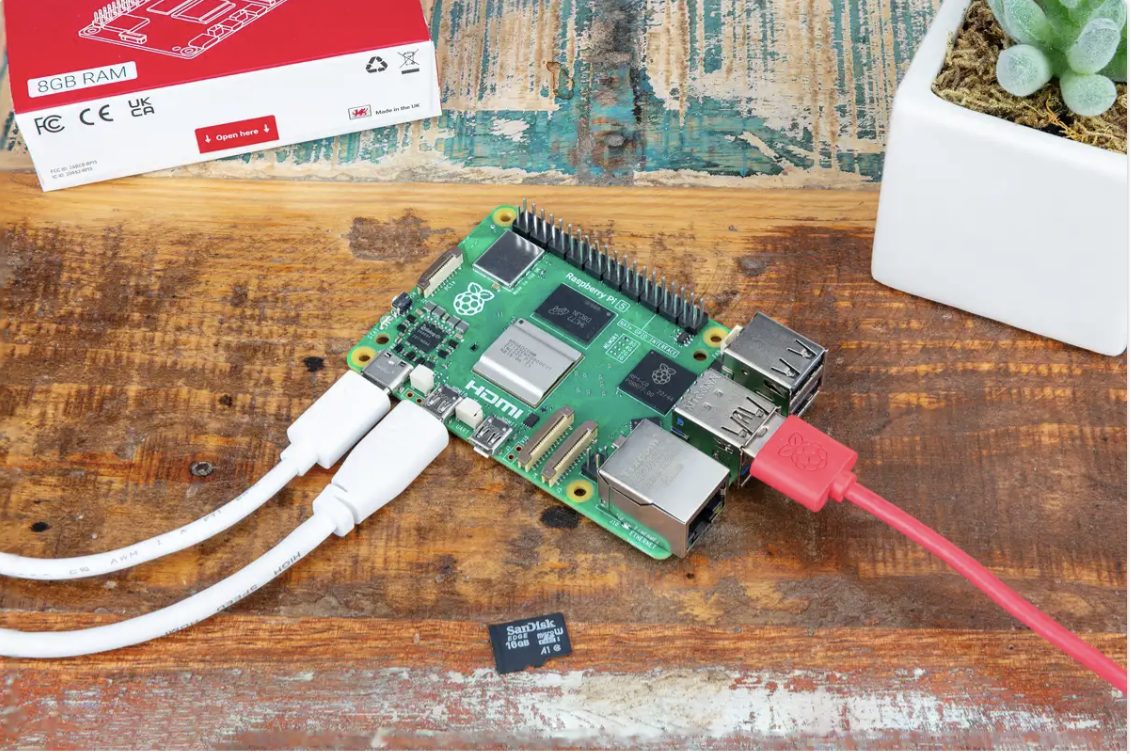
Every other tool on this list is a walled garden. Scratch runs in Scratch; Sphero codes a Sphero. The Pi is a real computer. Kids install an operating system, write programs, connect hardware, and see real-world outcomes. Official project guides walk 8-year-olds through LED patterns and sensor experiments; by 10, the same child can build a weather station or host a Minecraft server.

The catch: setup takes patience, and most 8-10 year olds need a parent alongside them to get started. That isn't a bug. The Pi rewards families who learn together, and the debugging is real engineering, not a gamified retry button. Pair it with a project book for the first few weeks. After that, kids start inventing their own projects.

Mike's Take

I explored Pi recently with a hardware prototype. At least with my kids, it didn't feel like the right first move into this space. We got a 3D printer instead, and the tactile result is immediate. I could see us growing into Pi, if the maker bug takes hold.

Strengths

  • + Opens into Python, electronics, robotics, web servers, and media projects on one device
  • + Every project has visible, physical outcomes the child controls
  • + Strong community with thousands of kid-friendly project guides

Limitations

  • - Not plug-and-play. Most 8-year-olds need a parent alongside them.
  • - Steeper learning curve than app-based tools; the payoff takes longer to reach
  • - No built-in curriculum; you'll need to pair it with a project book or course
Skip if

You want something your child can use independently from day one. Start with Scratch and revisit the Pi when they're hungry for more.

Read the full Raspberry Pi Starter Kit guide
Hopscotch logo

Hopscotch

For iPad kids who want to create

Cost
Freemium (~$8/mo for full tools)
Platform
iPad
Ages
8-13
Literacies
Agency · Persistence · Adaptability +1 more
Hopscotch project creation interface

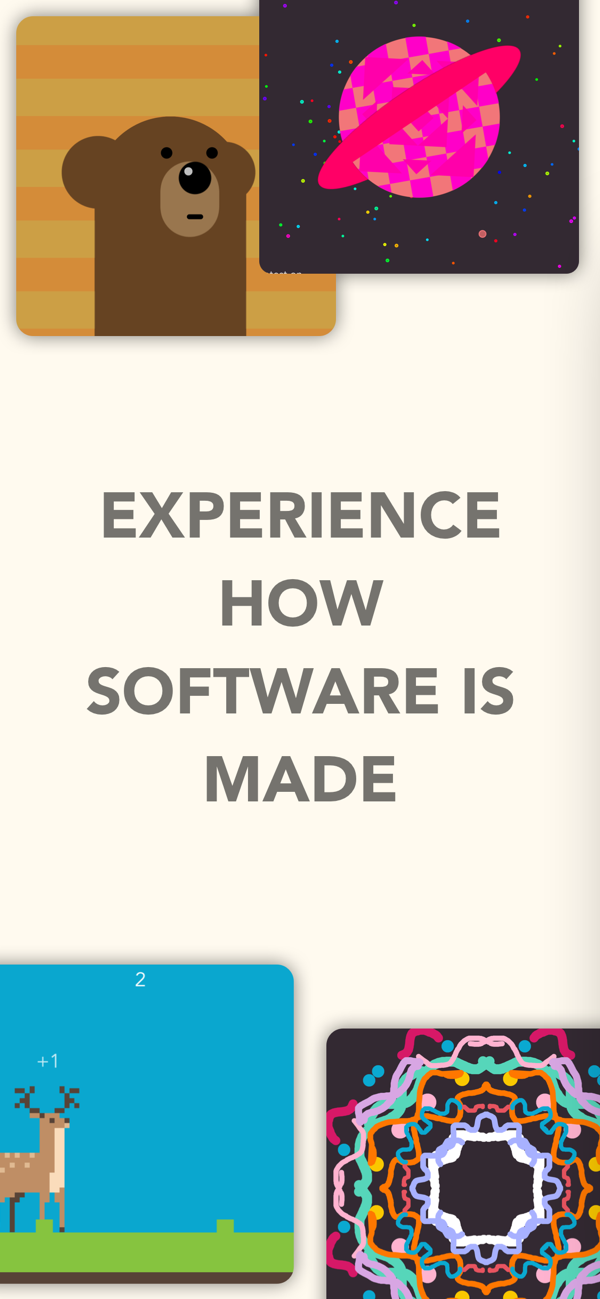
Hopscotch is the difference between a blank canvas and a coloring book. It's not a puzzle game with a coding theme. It's a creation tool where kids build their own games, stories, and animations on the iPad they already own, then publish them for other young creators to remix.

That remix culture is where the learning accelerates. A child can open any published project, see every block of code that makes it work, change things, and publish their own version. It's how professional developers actually learn: by reading and modifying other people's code, not just writing from scratch.

Strengths

  • + Runs on the iPad you already own. No hardware or computer setup.
  • + Creation-focused from the start; no puzzle ladder to climb first
  • + Remix culture teaches kids to read code, not just write it

Limitations

  • - Stays inside the Hopscotch lane. Doesn't widen into other languages or domains.
  • - Full creation tools require the ~$8/month subscription
  • - iPad-only; no Android or browser version
Skip if

You want something that leads toward text-based programming. Hopscotch's blocks don't bridge into Python or JavaScript.

Independent review: Common Sense Media (4/5)

Read the full Hopscotch guide
Cognimates logo

Cognimates

For families curious about how AI works

Cost
Free
Platform
Browser
Ages
7-14
Literacies
Agency · Curiosity · Creativity +1 more
Cognimates AI-building interface

Most tools here use AI as infrastructure: autocomplete, adaptive difficulty, smart hints. Cognimates puts AI in the kid's hands as something to build with and question. On this Scratch-based platform from MIT, kids train their own image classifiers, build chatbots, and program robots that respond to AI models.

Kids can feed a model biased data on purpose and watch it get things wrong. Seeing that AI isn't magic, that it's a system shaped by human choices, is exactly what this age group needs to understand. Parents and peers are part of the loop. No other coding tool on this list is designed that way.

Strengths

  • + Kids build their own AI models, developing real intuition for how AI works
  • + Designed for family learning; strongest shared-making tool on this list
  • + Free, open-source, and backed by MIT research

Limitations

  • - Less polished than consumer products; it's a research platform adapted for kids
  • - Narrower content than Scratch with fewer community projects to remix
  • - Rewards exploration over deep struggle on a single project
Skip if

You want a smooth, self-guided experience your child can use alone. Scratch has a larger community and more intuitive onboarding.

Read the full Cognimates guide
Circuit Playground logo

Adafruit Circuit Playground

For kids who need a quick win

Cost
~$25
Platform
Hardware + browser-based coding
Ages
8-16
Literacies
Agency · Adaptability · Curiosity +1 more
Adafruit Circuit Playground board

Most electronics kits ask kids to wire circuits, learn resistor codes, and troubleshoot breadboards before anything happens. Circuit Playground Express skips all of that. The board has LEDs, buttons, sensors, and a speaker built in. A child plugs it into a computer and starts coding in the first session.

A frustrating first encounter with electronics can close the door permanently. Circuit Playground keeps it open: drag-and-drop blocks make the board light up in minutes, and the same hardware carries a kid into CircuitPython and Arduino when they're ready. Multiple ways to solve the same problem, on one $25 device.

Strengths

  • + Lowest-cost entry into physical computing on this list
  • + No wiring, no breadboards, no soldering to get the first project running
  • + Same board grows with the child from blocks into Python and Arduino

Limitations

  • - Favors quick progress over deep struggle. Not a persistence builder.
  • - Solo experience by default; social context depends on the setting
  • - It's a tool, not a curriculum. Pair it with project guides for sustained learning.
Skip if

Your child wants deep, sustained challenge over quick wins. Raspberry Pi Starter Kit offers a steeper curve with a proportionally larger payoff.

Independent reviews: Raspberry Pi Magazine (10/10), Embedded Computing Design

Read the full Adafruit Circuit Playground guide

Why These Seven Out of 69

I scored 69 coding products for ages 8-10. The remaining 62 fell into these categories:

  • Puzzles without authorship (Kodable , Lightbot , CodeMonkey ) : Kids solve pre-made levels and drag blocks into predetermined sequences. They never make their own thing. Kodable, Lightbot, and CodeMonkey are well-designed introductions, but they cap out fast.
  • Too young for 8-10 (codeSpark Academy , ScratchJr ) : Block-based intro apps built for ages 5-7 that an eight-year-old will exhaust in an afternoon.
  • Classroom-licensing only (Code.org , Tynker ) : Products designed for school districts, not homes. Code.org's Computer Science Fundamentals and Tynker for Schools are built around teacher dashboards and class rosters. Strong tools; wrong context.
  • Hardware-heavy without clear pedagogy (Piper Computer Kit ) : Physical products where the hardware is the main event and the coding is incidental. Piper Computer Kit gives kids a computer to build, but the curriculum doesn't develop real debugging or problem-solving.

Try This Week

  1. 1.

    Ask your kid what they'd want to build if they could build anything. Don't buy a single app until you have an answer that excites them.

  2. 2.

    Search for a local FIRST LEGO League team, CoderDojo, or library makerspace. One season in a group setting may teach more than a year of solo app use.

  3. 3.

    Open a free Scratch account together and remix one existing project. Find something your child thinks looks cool, click "See inside," and change one thing. A color, a speed, a sound. Then change another.

Get the next guide

One email when a new guide ships. No spam.

No ads. No affiliate links. Unsubscribe anytime.

FAQ

Do I even need a coding app for my kid, or is this a phase?

If your kid wants to make something, an app gives that curiosity somewhere to go. If there's no spark, don't force it. Coding is one way to build problem-solving skills. It's not the only way.

Will AI make coding skills obsolete before my kid grows up?

Probably not in the way you think. The value of coding at this age was never about becoming a software engineer. It's about learning to break down problems and think in systems (Wing, 2006). Those skills transfer regardless of what happens to the industry.

Should my kids just jump straight into vibe coding?

I've been building with AI tools for the past year and it's genuinely thrilling. Type what you want in plain English, get a working outcome. I expect most kids will move to this kind of building quickly. But I'm holding back with my 8 and 10 year olds. It skips the steps. The whole point of coding at this age is learning to break a problem down, think through the sequence, and fix what breaks. Vibe coding jumps from intention to outcome. That's exciting, but it can be addictive before a kid has built the underlying muscle. I'd rather they spend time developing the ability to break problems apart, sit with what's broken, and figure out why. They'll get there soon enough. (More on this: Don't stress about your kids being AI native.)

Is Python or Scratch the right first language?

For most 8-10 year olds, Scratch first. Blocks remove syntax as a barrier and let kids focus on creating. Students using block-based environments showed greater learning gains than those writing equivalent text-based code (Weintrop & Wilensky, 2017). When your child hits the limits of blocks, that's the moment for Python.

How much screen time is too much for coding apps?

The better question is "what are they doing with it?" Thirty minutes building an original project builds more than two hours following tutorials. Is your child creating or consuming? If the app has removed all friction, the time isn't doing much (Kapur).

Is my kid too late to start if they're already 10?

No. The 8-10 range is the sweet spot: old enough for abstract thinking, young enough to approach a blank canvas without self-consciousness. A 10-year-old starting Scratch today can hit a meaningful project within a few weeks. If your child is closer to 11 or 12, the same tools apply. You might just move to text-based coding sooner.

Didn't find your answer?

Which literacies does your child need most?

Take the 2-minute assessment and get a personalized profile.

Take the Quiz