Best-Of Guide

The Best Creativity Products for Kids

Most kids stop calling themselves creative by fourth grade. These seven products push back.

By Mike Overell · Updated April 2026 · 14 min read · 7 picks from 60 scored

No ads. No affiliate links. How I research →

Disclosure: I work at ClassDojo, which makes Dojo Islands. My two eldest kids have been weekly users for over two years. They came to it at home, not through a classroom. It's on this list because they earned their place on it, but you should know the connection. It's flagged again on the Dojo Islands card below. More about me →

Somewhere around fourth grade, most kids stop thinking of themselves as creative. A longitudinal analysis of nearly 300,000 Torrance Test scores found that creativity has been declining among American children since 1990, with the steepest drops in the youngest kids. The picture is specific: children have become "less imaginative, less humorous, less unconventional, and less likely to see things from a different angle" (Kim, 2011). The cliff is real, and by the time it shows up on a test it's already been happening at the kitchen table.

I have three kids. One of my daughters sees herself as creative. It's core to who she is. My other daughter shows just as much raw ability, but it's not as much a part of her self-story. The gap between them isn't talent. It's identity.

Can creativity be trained? After a year of research, the answer is yes. Most parents don't know that, so I wrote this guide. I scored more than sixty products across multiple dimensions and used several with my own kids. Seven passed. The most important question: does this product make my kid feel like a creative person?

My top pick
Free alternative
What I left out & why

Products that let kids consume creativity instead of practicing it. There are many.

What I tell my friends

A bag of secondhand LEGO bricks with zero instructions will surprise you. Start there before spending too much.

Screen-free

My kid is happy building alone Connetix Tiles · No instructions, no ceiling, works from age 3 to adult.
My kid loves figuring out how things work Makey Makey · Turn a banana into a piano key in ninety seconds.
My kid wants to build with friends LEGO Education · Designed for pairs, strong collaboration (but $360+, so usually a classroom purchase).

Screen-based

My kid loves stories and writing Night Zookeeper · Creative writing wrapped in a world they build.
My kid is into music Mussila · Music theory through play, not worksheets.
My kid wants to make games or animations ScratchJr · Free, no reading required, creation from minute one.
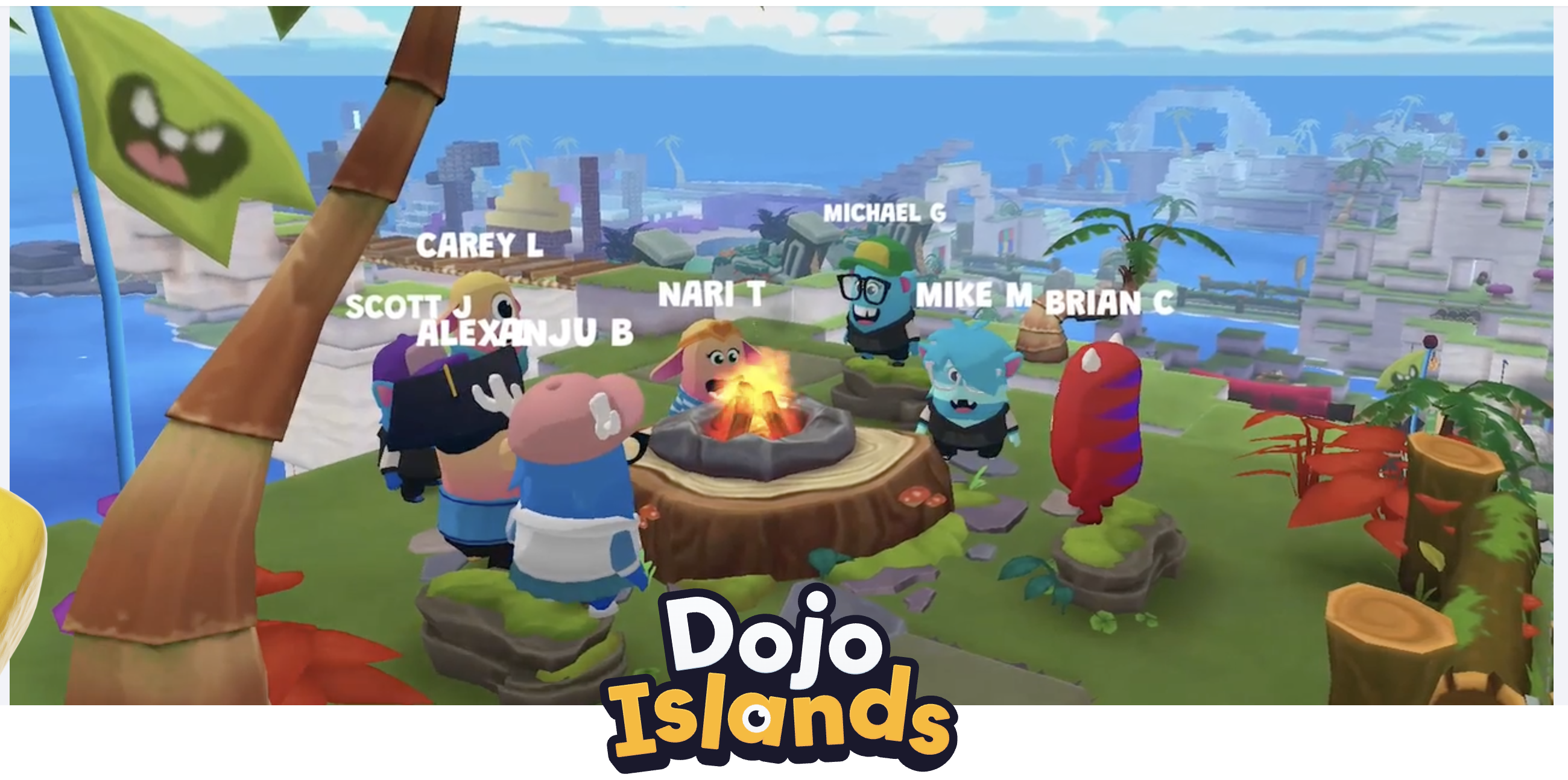
My kid wants to play with friends online Dojo Islands · Social creative play in a private, safe environment.

Before you buy anything, try this.

A bag of secondhand LEGO bricks and zero instructions. Go to Facebook Marketplace, pay $30-50 for a kilo of mixed basic bricks, dump them in a tub, and put the tub somewhere your kid can reach it without asking. No themed sets. No Star Wars. No Harry Potter. Instructions turn LEGO into a model-assembly kit; the absence of instructions turns it back into a creativity product. This is what we do in our house.

A blank sheet of paper and twenty minutes of boredom. The research on ideation under constraint is consistent: when kids are handed unlimited options, they tend to default to whatever they saw last. A single medium and no suggestions forces them to generate from the inside.

The products on this list exist for the moments when these aren't enough: when a parent can't be in the room, when a kid needs a different medium than what's already on the floor, or when a specific interest (music, coding, circuits) needs a scaffold the kitchen table can't provide. They supplement. They don't replace.

The Question You're Really Asking

Can creativity be trained?

The optimists A 2024 meta-analysis looked at 169 studies where children received creativity training. The result: trained kids consistently outperformed untrained kids on creative tasks, even after adjusting for publication bias (Sio & Lortie-Forgues, 2024). Creativity isn't fixed. It responds to practice.

The skeptics Much of the "creativity" market for kids is ordinary play with a premium price tag and developmental jargon on top. And the tests that most research relies on measure one narrow slice of creativity: generating lots of ideas quickly, not the messy, real-world kind. When a product claims to "build creativity," a healthy response is: prove it.

The research A child's belief that they are creative is one of the strongest predictors of whether they actually act creatively (Karwowski & Beghetto, 2017). This creates a feedback loop: kids who see themselves as creative seek out creative challenges, which builds ability, which reinforces the identity. The inverse is equally powerful. School rewards right answers, social pressure to conform kicks in, and the "I'm creative" story gets overwritten.

My Take

The science is promising but unsettled. What I've seen with my own kids is clearer. The worst thing that can happen to a young kid is deciding "I'm not creative," because that story is almost certainly wrong and it can take decades to undo. That shapes how I engage with my kids, not just how I evaluate products. I try to encourage the act of creating wherever it happens. A drawing, a LEGO build, a made-up game in the backyard. Does this make my kid feel like a creative person?

Top Picks
Top Pick
Connetix logo

Connetix Tiles

Best for kids who need zero instructions and total freedom
Mike's List
Cost
~$50+ (varies by pack)
Platform
Physical tiles, screen-free
Ages
3-12
Literacies
Creativity
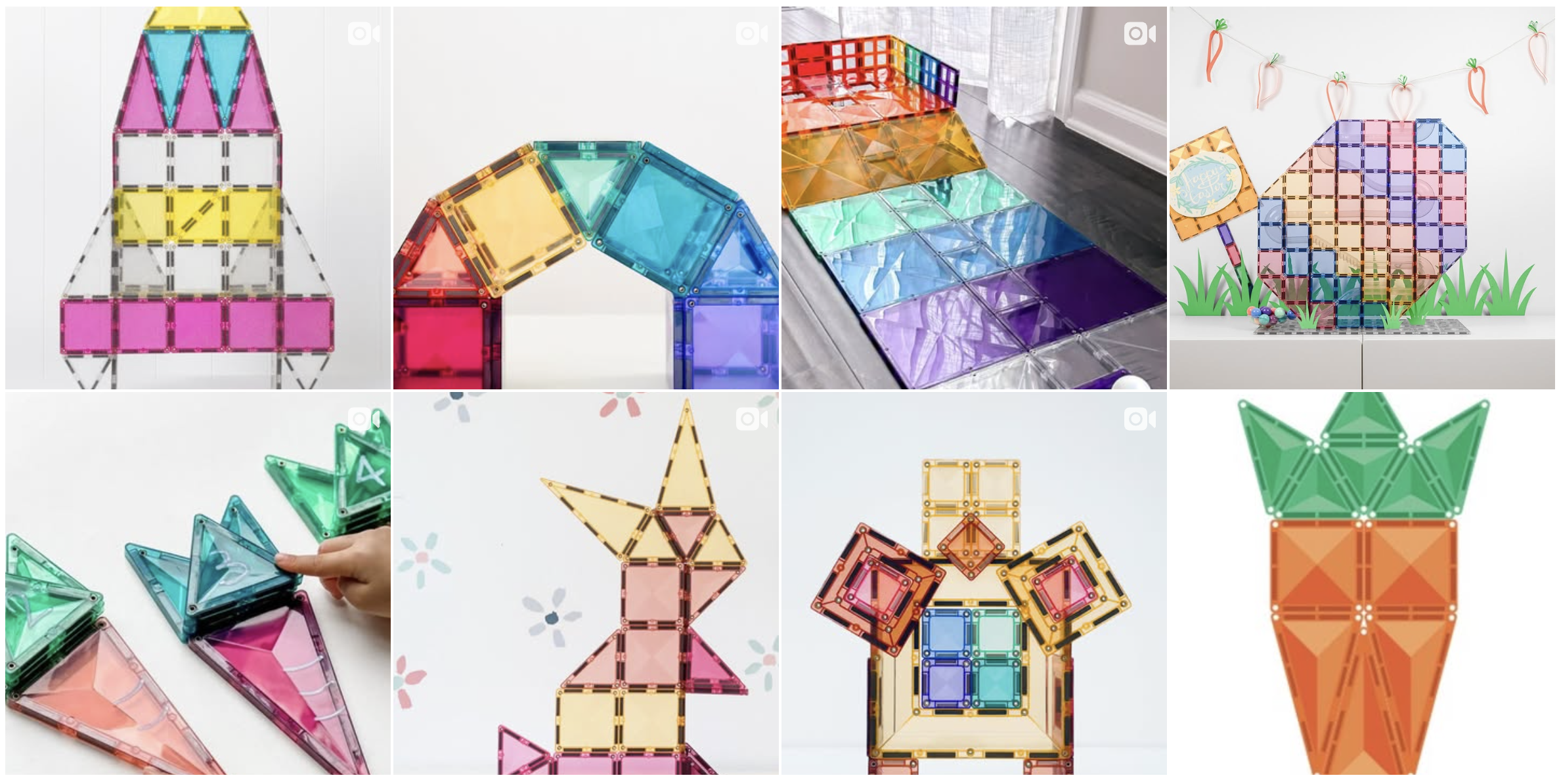
Connetix magnetic tiles built into a colorful structure

Give a five-year-old a pile of magnetic tiles and no instructions, and the first thing they do is try something impossible. Then they fail, and then they try a different impossible thing. That loop: generate an idea, commit, fail, generate again, is what ideation looks like before a kid has language for it. Open-ended construction materials let children practice that loop without the pressure of a "correct" outcome, which is why a pile of tiles on a living room floor produces more real creative work in an hour than most kids' weekly art class. Research on play and creativity in preschoolers supports this with a large positive effect for open-ended play, with block play specifically showing moderate effects (g = 0.54).

The specific thing Connetix does that cheap magnetic tiles don't is hold up under load. A five-year-old can build a castle, and a ten-year-old can build the same castle three times taller and actually have it stand. That durability is what lets the same product grow with a kid from three to twelve, which is the economics that make the price worth it.

Mike's TakePersonally tested

We have these all over the house. My three-year-old plays with them, my older girls build intricate structures, and adults get pulled in. It genuinely works from age 3 to adult. Not how it's marketed, but how it plays out.

Strengths

  • + Truly open-ended: no instructions, no right answer
  • + Scales from age 3 to adult in the same household
  • + Completely screen-free, no subscription, no upsell

Limitations

  • - Upfront cost is real; a big box runs $150-200
  • - Kids who want narrative prompts may stall without a suggestion
  • - No digital record or share if that matters to your family
Skip if

Your kid needs a structured prompt to get started. Open-ended with no instructions isn't for every temperament.


Read the full Connetix Tiles guide
LEGO Education logo

LEGO Education

Best for kids who need a problem to solve before they'll create

Cost
~$360+ (SPIKE Essential)
Platform
iPad, Chromebook, Mac, Windows, Android
Ages
6-10 (SPIKE Essential)
Literacies
Creativity · Connection
LEGO Education SPIKE Essential kit

Some kids can't start from a blank page. They need a problem to work against, and LEGO Education's SPIKE Essential system is built around exactly that. Each kit pairs physical bricks with a structured challenge (build a thing that moves, a thing that sorts, a thing that reacts) and a simple block-based coding app that brings the build to life. It takes a category of kid who says "I don't know what to make" and hands them a constraint that unlocks the making.

At $360+, SPIKE Essential is designed for classrooms, not homes. I've seen it work best in small-group settings where two or three kids collaborate on one kit: the constraint forces conversation, the conversation forces ideation, and the finished build is something they can show another kid. The value here is the robotics and coding layer, not the bricks themselves. If your kid lights up at making things move, react, and follow instructions they wrote, SPIKE delivers something a bag of plain bricks can't.

Mike's TakePersonally tested

I coached a robotics team for fourth graders that used LEGO SPIKE. The app was intuitive and fun. But the real energy came from kids building and competing together.

Strengths

  • + Structured challenges give hesitant kids a starting line
  • + Strong hands-on and screen blend; the screen supports the build, not the other way around
  • + Designed for collaboration and works well for siblings or school pairs

Limitations

  • - Priced for classrooms ($360+). Hard to justify for one home user
  • - Instructions can overwhelm the free-play instinct if you lean too hard on the challenges
  • - If your kid just wants to build freely, plain LEGO bricks are a better fit at a fraction of the price
Skip if

You're buying for one kid at home. At $360+, the value is in collaborative use.

Read the full LEGO Education guide
ScratchJr logo

ScratchJr

Best for kids who learn by making things happen on screen

Cost
Free
Platform
iPad, Android, Chromebook, Kindle Fire
Ages
5-7
Literacies
Creativity
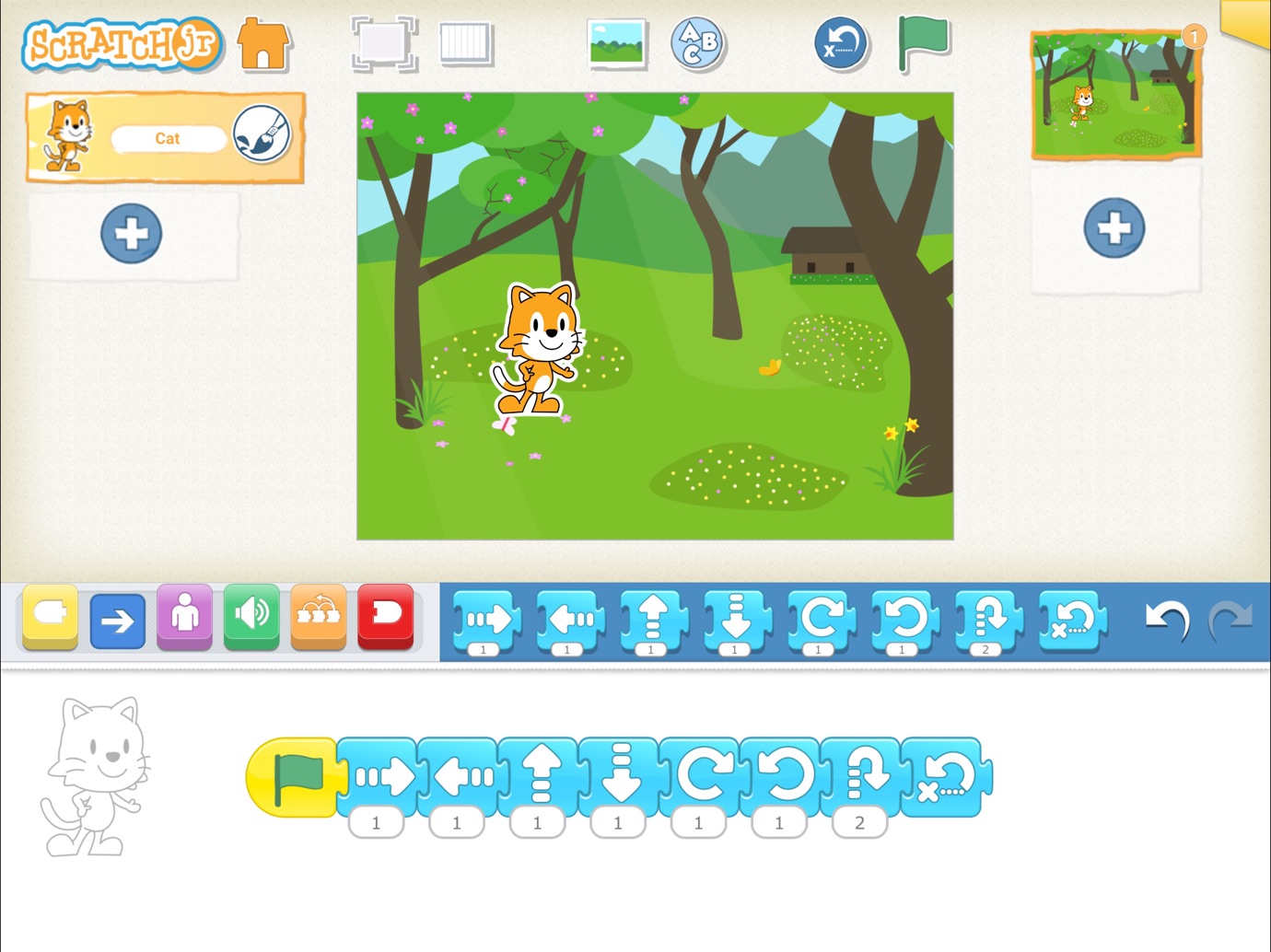
ScratchJr coding interface with character and blocks

A five-year-old who can't yet read can open ScratchJr and, within ninety seconds, make a cat jump across the screen. That compression between intent and result is the whole point. Most creative software demands that kids learn the tool before they can express an idea; ScratchJr inverts the order by using picture-based code blocks that a pre-reader can snap together. The idea comes first, the tool disappears, and the kid watches their own intention play out as an animation they built.

Under the hood it's constructionist learning theory: kids build knowledge most durably when they build external artifacts that matter to them (Papert, 1980). ScratchJr is the cleanest five-to-seven implementation of that idea that exists, and it's free, which is almost the most surprising fact about it. There's no account, no subscription, no upsell, no ads. It's open-source, maintained by the Lifelong Kindergarten group, and the ceiling is high enough that a motivated seven-year-old can make a multi-scene story without outgrowing the tool.

Strengths

  • + Free, no account, no ads, no subscription pressure
  • + Pre-reader friendly; picture blocks remove the literacy barrier
  • + Creation from minute one, not tutorial grind

Limitations

  • - Interface has aged and feels less polished than paid apps
  • - No community gallery or share feature; work stays on the device
  • - Kids will outgrow it by around 8 and need to graduate to full Scratch
Skip if

Your kid is already eight and past the picture-block stage. Move them straight to full Scratch on the web.

Independent review: Common Sense Media (4/5)

Read the full ScratchJr guide
Makey Makey logo

Makey Makey

Best for kids who connect things that don't go together

Cost
~$50 (Classic kit)
Platform
USB hardware + any computer
Ages
6-14
Literacies
Connection · Creativity
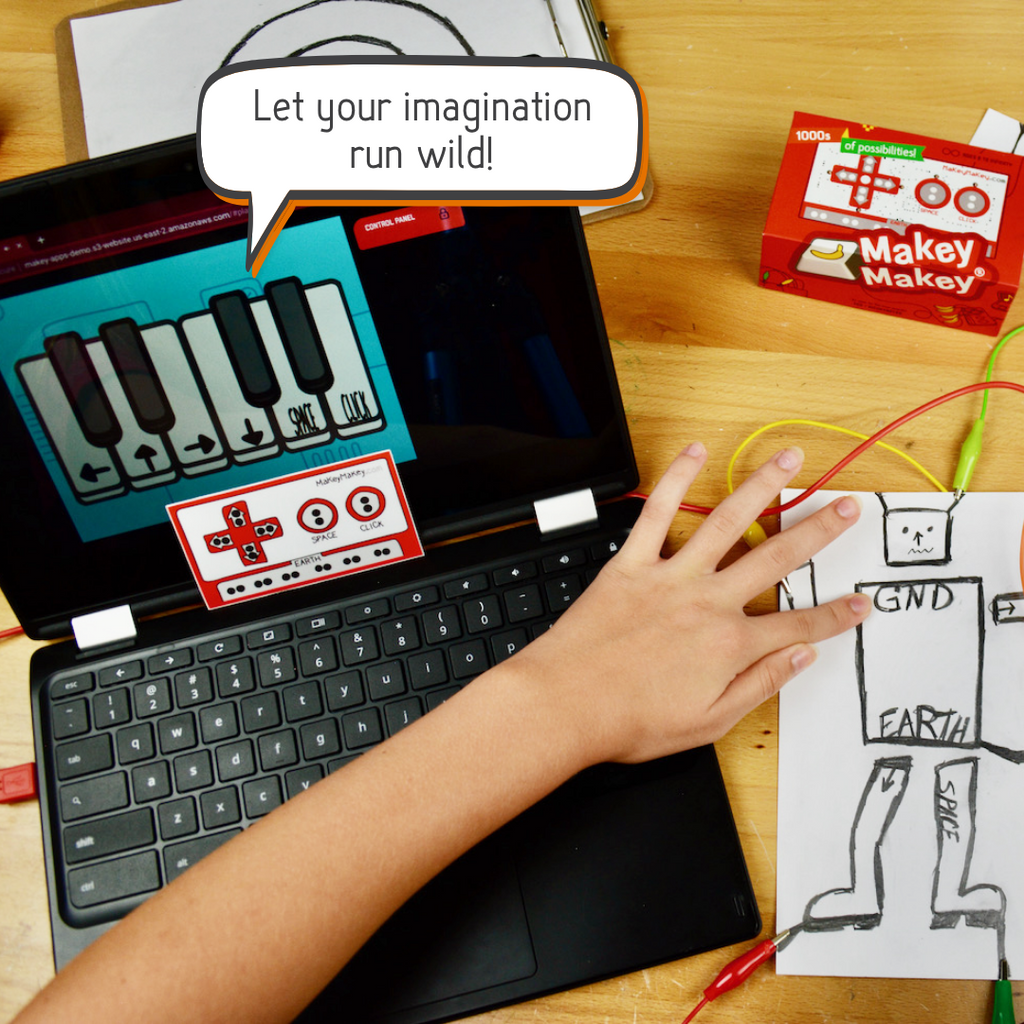
Makey Makey kit with alligator clips and banana piano

Most creativity tools live in one medium: paper, paint, pixels, bricks. Makey Makey's whole premise is that the medium is wrong. It's a small USB board with alligator clips that turns any conductive object into a keyboard key: a banana becomes the spacebar, a puddle of water becomes an arrow key, a staircase becomes a piano. Plug it in, connect it to anything, and the line between "object in the kitchen" and "input device for a computer" dissolves. Kids who think in weird connections, the ones who ask "what if..." questions you can't answer, light up when they meet it.

Makey Makey doesn't teach a single skill, it trains the habit of seeing objects as components. For a five-to-seven year old, that habit is load-bearing: it's the thing underneath every "inventor" kid you've ever met.

Strengths

  • + One-time purchase with no subscription or software to buy
  • + Pairs with free tools like Scratch and browser games for infinite reuse
  • + Rewards lateral thinking and weird combinations in a way most products don't

Limitations

  • - Needs a computer with a USB port
  • - Requires adult setup the first few times
  • - Kids who want narrative or structured building may not engage without a prompt
Skip if

You don't have a computer with a USB port, or your kid prefers building finished things over open-ended hacking.

Independent review: Purdue INSPIRE Engineering Gift Guide (2024)

Read the full Makey Makey guide
Night Zookeeper logo

Night Zookeeper

Best for kids with creative energy who work well with some scaffolding

Cost
~$15/month (annual plans available)
Platform
Web, iPad, iPhone
Ages
6-12
Literacies
Creativity
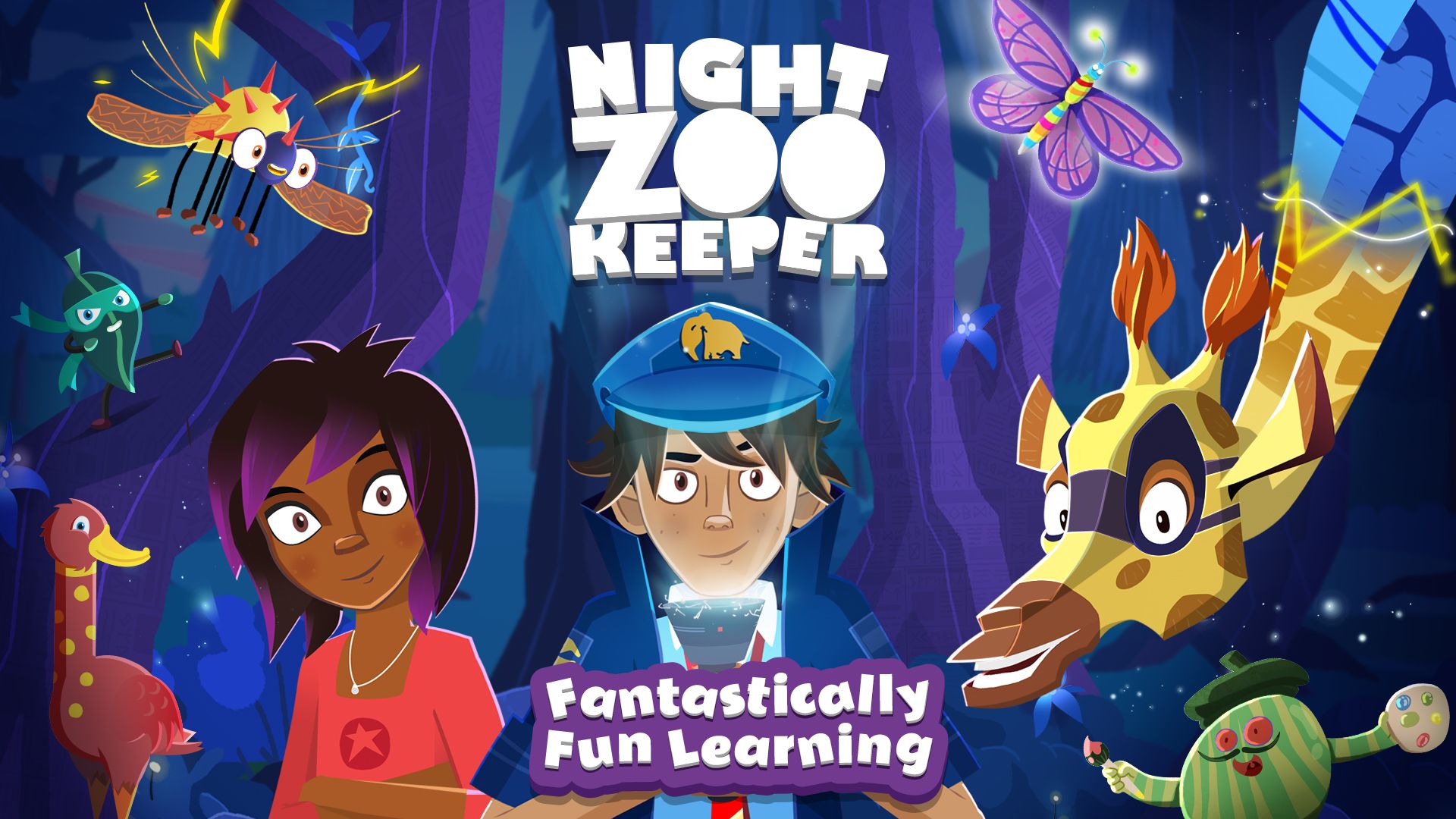
Night Zookeeper creative writing world

Some kids have ten ideas a minute and can't land on one. Others have plenty of imagination but freeze the moment someone hands them a blank page. Night Zookeeper is built for the second group. It wraps creative writing in a narrative frame: kids design magical animals, build a zoo world, and earn their way into stories by completing short, teacher-designed prompts. The scaffolding is the product. A kid who would never sit down to "write a story" will happily write three paragraphs about the invisible dragon they just invented because the app treats it as a quest.

It's the strongest option in the AI-adjacent storytelling category for parents who don't want to build their own experience at home. Feedback from human moderators is a real differentiator: kids get comments on their writing from actual adults, which builds a healthier feedback loop than algorithmic praise. At $15/month it's a real subscription, and I wouldn't pay it for a kid who already writes freely without a prompt. Praise and evaluation can crowd out intrinsic motivation if a kid is already motivated on their own (Amabile, 1985).

Strengths

  • + Narrative scaffolding gets reluctant writers started
  • + Human moderator feedback (not just algorithmic praise)
  • + Clear progression keeps kids coming back

Limitations

  • - Subscription model ($15/month) adds up
  • - The world-building scaffold can become a ceiling for kids with bigger ideas
  • - AI-storytelling is a crowded and commoditizing category
Skip if

Your kid already writes stories without prompting. Give them a notebook and stay out of the way.

Independent review: Modulo (EdTech expert review)

Read the full Night Zookeeper guide
Mussila logo

Mussila

Best for introducing music through play

Cost
~$8/month (or $48/year)
Platform
iOS, Android, Chromebooks
Ages
4-11
Literacies
Creativity · Connection
Mussila music learning game interface

Music is the creativity category most parents care about and most products handle badly. Either they teach theory with no feel (drills and note-naming) or they let kids mash buttons with no structure (fun, but nothing stays). Mussila is the best attempt I've seen at the middle path for young kids: it uses game mechanics to sneak in real music theory (pitch, rhythm, note recognition) while giving kids enough canvas to compose their own short pieces. A five-year-old can learn what a quarter note is without knowing they learned it.

The research on musical improvisation and divergent thinking is real (Frontiers in Psychology, 2015): kids who engage in improvisational music-making score higher on divergent thinking tasks than kids who only do structured lessons. Mussila isn't a replacement for actual instrument lessons, and I wouldn't position it as one. It's a low-stakes on-ramp for families whose kid is curious about music but not yet at a stage where weekly lessons make sense. For a parent who wants a fun game-like experience that builds foundational theory while leaving room for creative play, it's the closest thing I've found.

Strengths

  • + Sneaks theory into gameplay without feeling like practice
  • + Affordable relative to real music lessons
  • + Low-stakes entry point for kids not yet ready for an instrument

Limitations

  • - Screen-based and doesn't replace putting an actual instrument in a kid's hands
  • - Subscription, like most music-learning apps
  • - Ceiling is limited; advanced kids will outgrow it
Skip if

Your kid is already taking lessons on a real instrument. Let the teacher drive, and leave screens out of the music room.

Independent review: Common Sense Media (4/5). Flags third-party data sharing and personalized ads.

Read the full Mussila guide
Dojo Islands logo

Dojo Islands

Best for siblings and classmates who want to build together

Mike's List Disclosure
Cost
Free (optional upgrade)
Platform
Web, iOS, Android
Ages
5-12
Literacies
Connection · Creativity

I work at ClassDojo, which makes Dojo Islands. My family has been using it for more than two years, and the experience below is genuine family use, not professional obligation.

Dojo Islands creative building world

My kids rarely create alone anymore. One of them will spend half an hour building something, and then the other half pulling in a sibling or friend to see it, change it, add to it, or argue about it. That's the part most creativity products miss. Dojo Islands is built around it. Kids get a private island, simple building tools, and the ability to invite specific friends or classmates into a shared space where they can co-build. Creativity is, in some ways, constrained. Kids get blocks of various kinds and can do anything with them in a build zone. Even with these constraints, it's incredible to see what kids can build and create both alone and together.

The closest comparison most parents will reach for is Roblox, and the most important difference is the sandbox: Dojo Islands is private by design, adult-mediated, and doesn't surface content from strangers. That lets young kids experience the social-creative loop (build, share, iterate) without the risks that push most thoughtful parents off Roblox for the five-to-seven age band. It's the only online product on this list where kids can play together safely, the key difference from Roblox or Minecraft at this age.

Mike's TakePersonally tested · Disclosed

My two eldest play this at home together; they didn't come to it through the classroom. Of the very few apps on their iPads, it's the one they turn to after reading and homework. It's the dessert, but I feel good about this dessert.

Strengths

  • + Best-in-class at social-creative play for this age group
  • + Private and adult-mediated by design, a real contrast to Roblox
  • + Free core experience; Adventure Pass optional for home

Limitations

  • - Best for kids with a sibling or classmate to play with; solo play is flatter
  • - I work at ClassDojo; weigh my view accordingly
  • - Building tools are simpler than dedicated creative platforms
Skip if

Your kid plays best alone. The value here is in social building; solo play is flatter.

Read the full Dojo Islands guide

Why These 7 Out of 60+

I scored more than sixty creativity products for this age range. The ones that didn't make it fell into three recurring categories:

  • Template-driven craft apps (Drawnimal , Toca Hair Salon , Colorfy Kids ) : Apps that hand a kid a pre-drawn scene, ask them to colour inside the lines, and call it creativity. They deliver the appearance of creative output without the experience of generating an idea.
  • AI-storytelling copycats (StoryBee , Oscar Stories , Imagine That ) : A crowded, commoditizing category where most products are thin wrappers over GPT with a kid-friendly skin. You can build the same experience at home with an AI tool you already have. [Night Zookeeper](#night-zookeeper) made the list as the exception because it pairs scaffolding with human moderator feedback.
  • Subscription creativity boxes (KiwiCo , Creativity for Kids , Green Kid Crafts ) : Monthly mail-order kits with a premium price tag and ordinary materials inside. The marketing leans hard on creativity, but the execution is usually a craft project with instructions.

Try This Week

  1. 1.

    Dump a bag of secondhand LEGO on the floor with no instructions. Walk away for twenty minutes. Come back and notice what your kid builds when no one is watching and no one is asking for anything. That's the baseline. Everything else on this list is supplementary.

  2. 2.

    Open ScratchJr together and make one cat jump across the screen. That's it. Ninety seconds. The goal isn't to learn coding this week; it's to compress the gap between "I had an idea" and "the computer did the thing I asked" so your kid feels the loop once.

  3. 3.

    The next time your kid finishes anything creative (a drawing, a tower, a song), label the behavior, not the kid. "You made that up yourself. Nobody told you to do that: that's really creative." The identity story matters, but kids build it from evidence, not labels.

Get the next guide

One email when a new guide ships. No spam.

No ads. No affiliate links. Unsubscribe anytime.

FAQ

What if my kid says "I'm not creative"?

That sentence matters more than it sounds. A child's belief about whether they're creative is one of the strongest predictors of whether they actually act creatively (Karwowski & Beghetto, 2017). Don't argue with it. Hand them a material with no instructions, stay close, and when they finish something, label the behavior: "You made that up yourself. Nobody told you to do that. That's really creative." Let them rewrite the story on their own terms.

How do I stop my kid from only following templates?

Remove the templates. Seriously. For a week, only put materials in front of them that have no "correct" outcome: plain LEGO bricks, blank paper, Connetix Tiles, a pile of cardboard. Kids default to templates because templates are safer and faster, and most creativity products train them to expect one. The discomfort of a blank medium is the skill you're trying to build, and it comes back quickly when the templates go away.

What age should my kid start with ScratchJr?

Five is the sweet spot. A motivated four-year-old can use it with a parent beside them, but the picture-block interface really sings once a kid has enough fine motor control to drag blocks confidently and enough patience to watch a short animation play. By eight, most kids are ready to graduate to full Scratch on the web. Use the picture-block years to build the habit of I had an idea → I made the computer do it; that loop is what matters, not the specific tool.

Is LEGO Education worth $360 at home, or is it really a classroom purchase?

Depends on the kid. If they want to build robots and write simple code, SPIKE is worth it, especially with a sibling or friend to collaborate. If they just want to build freely, a bag of secondhand LEGO bricks does that better and cheaper.

Do I need a tablet for any of these?

Not all of them. Connetix Tiles are fully screen-free. Makey Makey needs a computer (with a USB port) but the creative input is entirely physical. LEGO Education uses a tablet or computer app as a companion to the physical bricks. ScratchJr, Night Zookeeper, Mussila, and Dojo Islands are screen-based. If you want a creative practice that lives entirely off screens, start with Connetix and a big tub of plain LEGO bricks.

Didn't find your answer?

Which literacies does your child need most?

Take the 2-minute assessment and get a personalized profile.

Take the Quiz