
Google Quick Draw
Ages 5-12 · free · Product · quickdraw.withgoogle.com ↗

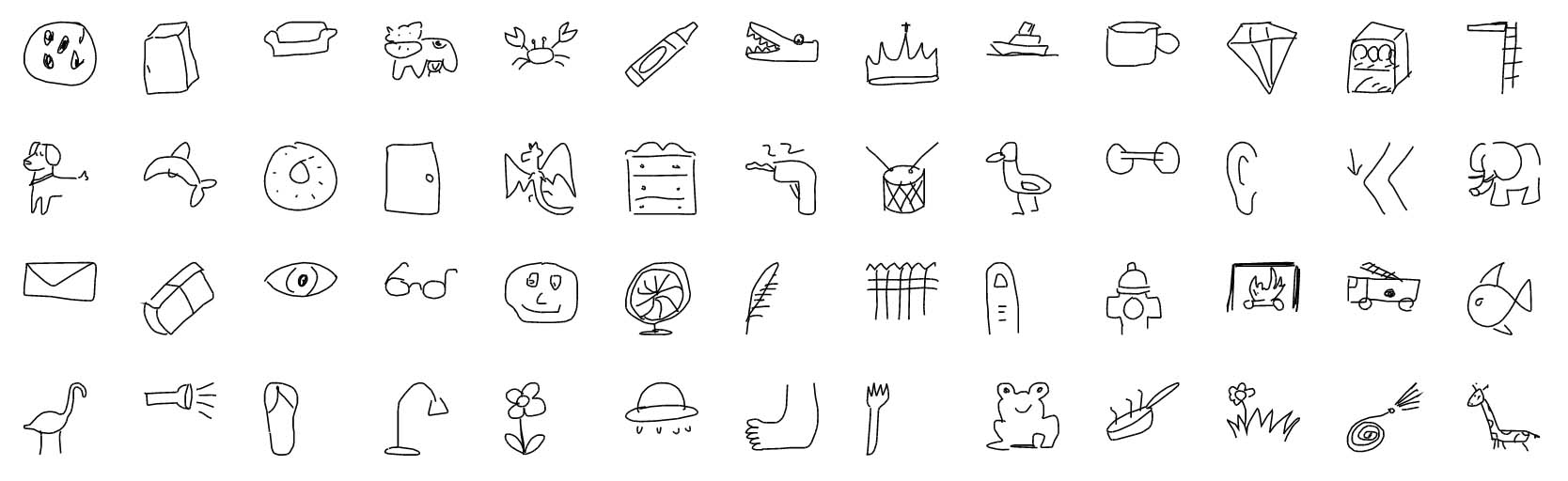

Quick, Draw! is Google’s browser game where a child gets a prompt, has 20 seconds to sketch it, and watches a neural network try to guess the drawing. After each round, they can keep playing or explore the public drawing dataset that powers the experiment. It feels more like a quick AI demo than a full learning product. The learning comes from seeing how the model reacts to human drawings.
We've reviewed Google Quick Draw against our 9-literacy developmental framework. The main growth opportunity: it doesn’t build persistence or adaptability. The game is too short and too fixed for that.
Strengths & gaps
Strengths
- ● Quick Draw is a clean way to make machine learning visible. A child draws, the AI guesses, and the result is immediate.
- ● It gives teachers and parents a concrete way to talk about training data, recognition, and bias.
Gaps
- ○ It doesn’t build persistence or adaptability. The game is too short and too fixed for that.
- ○ It doesn’t create connection or purpose. The experience is solo and playful, not relational or values-based.
- ○ Parents should know the drawings feed a public dataset. That is part of the learning value, but it is not private by design.
Detailed scores
How Google Quick Draw performs on each of the 9 literacies in our framework.
Doing
— 0 of 3 Strong
Quick Draw gives the child a prompt and a timer, then asks for a drawing. The child chooses how to sketch, but the goal and the rhythm are already set.
The game is built for fast rounds, not sustained struggle. A miss just leads to the next prompt, so the child never has to work through a problem in depth.
The same loop repeats over and over. Kids may change how they draw, but the product does not require them to shift strategy in a meaningful way.
Thinking
— 0 of 3 Strong
This is where Quick Draw has real value. Watching an AI guess your drawing creates a natural question: how does the model know, and why does it get things wrong?
Kids make their own drawings, so the product does ask for original output. But the space for invention is narrow, because the prompt and the timer do most of the work.
Quick Draw can open a conversation about data quality and bias, especially in a classroom. The game itself does not ask the child to weigh evidence or make decisions with consequences.
Being
— 0 of 3 Strong
This is a solo browser activity. The public dataset adds a community dimension, but it does not create actual human connection inside the product.
The timer adds mild pressure, and the child has to keep moving. But there is no coaching, no reflection loop, and no support for handling frustration.
Quick Draw explains machine learning, but it doesn’t tie that learning to identity, values, or contribution. It is interesting, not purpose-driven.
Based on 7 sources
- Product quickdraw.withgoogle.com
- Product experiments.withgoogle.com — quick draw
- Product blog.google — quick draw one billion drawings around world
- Product aipedagogy.org — exploring neural networks through googles quick draw
- Product schoollibraryjournal.com — 5 ways students learn and create with AI artificial intelligence
- Product github.com — quickdraw dataset
- Product quickdraw.withgoogle.com — data
Reviewed by New Literacies
Scored by our research-derived framework · AI-assisted analysis with editorial review · 7 sources reviewed · Our methodology →
Get the next guide before it goes live
One email when a new product review ships.
Free. No spam. Unsubscribe anytime.