
Cricut Joy
Ages 8-17 · paid · Product · cricut.com ↗
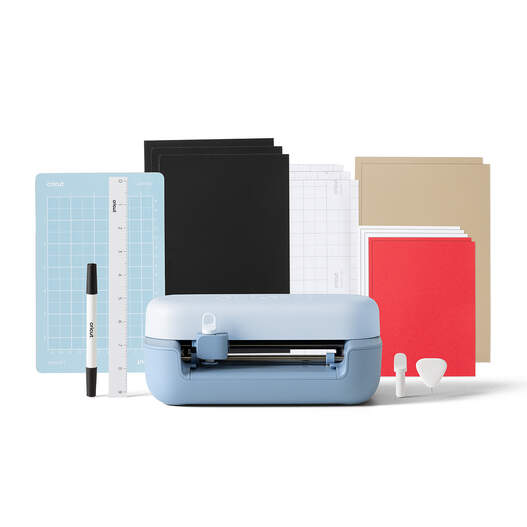
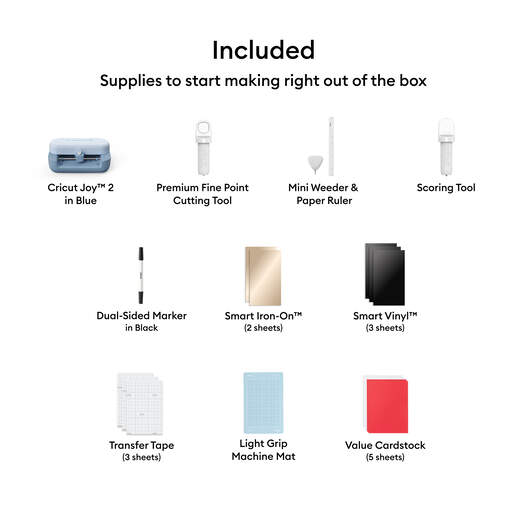
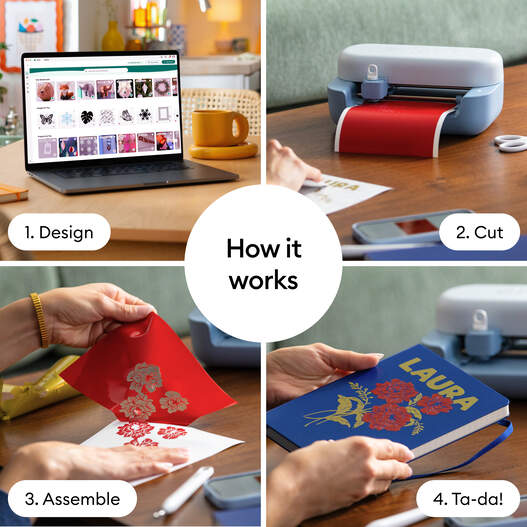
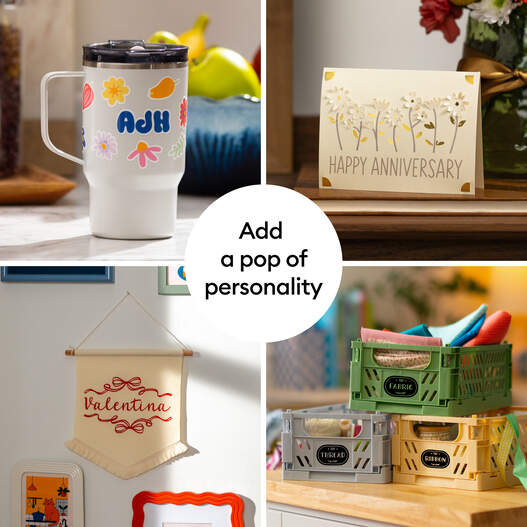
Cricut Joy is a compact cutting machine for small craft projects like cards, labels, decals, and iron-on designs. Kids choose or build a design in Cricut's Design Space app, load paper or vinyl into the machine, then weed and transfer the finished cut into something usable in the real world.
We've reviewed Cricut Joy against our 9-literacy developmental framework. The main growth opportunity: Joy is a narrow tool.
Strengths & gaps
Strengths
- ● Cricut Joy gives kids a fast path into making. The distance between idea and artifact is short, which is great for labels, cards, and small gifts.
- ● Joy also creates useful low-stakes persistence. A cut can go wrong, vinyl can tear, and transfer can fail, so kids have to slow down and try again without the whole project becoming overwhelming.
Gaps
- ○ Joy is a narrow tool. The software is guided, the machine is small, and the material choices are constrained. Kids are crafting inside a system, not exploring an open maker environment.
- ○ The creative upside is real but limited. Joy is better at personalization than invention.
Detailed scores
How Cricut Joy performs on each of the 9 literacies in our framework.
Doing
— 0 of 3 Strong
Cricut Joy lets kids choose a project and bring it to life. They can pick wording, colors, layouts, and materials, then make something that exists off-screen. But the process is heavily scaffolded by Design Space and by the machine's format limits. Kids have some authorship, not broad making freedom.
Joy projects look easy from the outside, but they still create friction. Weeding vinyl, aligning cuts, loading mats, and transferring designs all create moments where a child has to stay with the task. The challenge is real, just not deep or sustained.
The machine is optimized for a small set of compact craft jobs. Cards, labels, decals, and simple iron-on projects all run through roughly the same sequence. Kids don't need much strategy-switching to keep succeeding.
Thinking
— 0 of 3 Strong
Joy can absolutely spark a beginner's curiosity about crafting. A child starts with one card and quickly wonders what else they could label, decorate, or personalize. But the exploration usually stays inside Cricut's own categories and templates.
Joy supports genuine personalization. Kids can make a card for a friend, a custom label, or a small design for a shirt or water bottle. But the machine doesn't open a huge creative field. Its scale and workflow keep the making fairly constrained.
There are some small choices around material, placement, and project setup. But Joy is designed to simplify those choices, not deepen them. Most of the thinking is practical rather than evaluative.
Being
— 0 of 3 Strong
Families can use Joy together, but that doesn't make it a connection-building product by design. The social value comes from the room, not the machine.
Joy rewards careful hands and patient sequencing. Kids have to manage frustration when vinyl tears or a transfer goes crooked. That's useful self-regulation practice, even if the machine doesn't teach it explicitly.
The projects are small, but they matter. A custom card, label, gift tag, or decal has a clear use. Joy helps kids make something for someone, which gives the effort a concrete point.
Based on 6 sources
- Product wired.com — cricut joy
- Product help.cricut.com — 360042974373 Cricut Joy Machines FAQ
- Product cricut.com — 2007991.html
- Product techradar.com — cricut joy
- Product tomsguide.com — cricut joy
- Product reddit.com — 12z7tlq
Reviewed by New Literacies
Scored by our research-derived framework · AI-assisted analysis with editorial review · 6 sources reviewed · Our methodology →
Get the next guide before it goes live
One email when a new product review ships.
Free. No spam. Unsubscribe anytime.