OpenAI ChatGPT (Parental Controls)
Ages 13-17 · free · AI Product · openai.com ↗
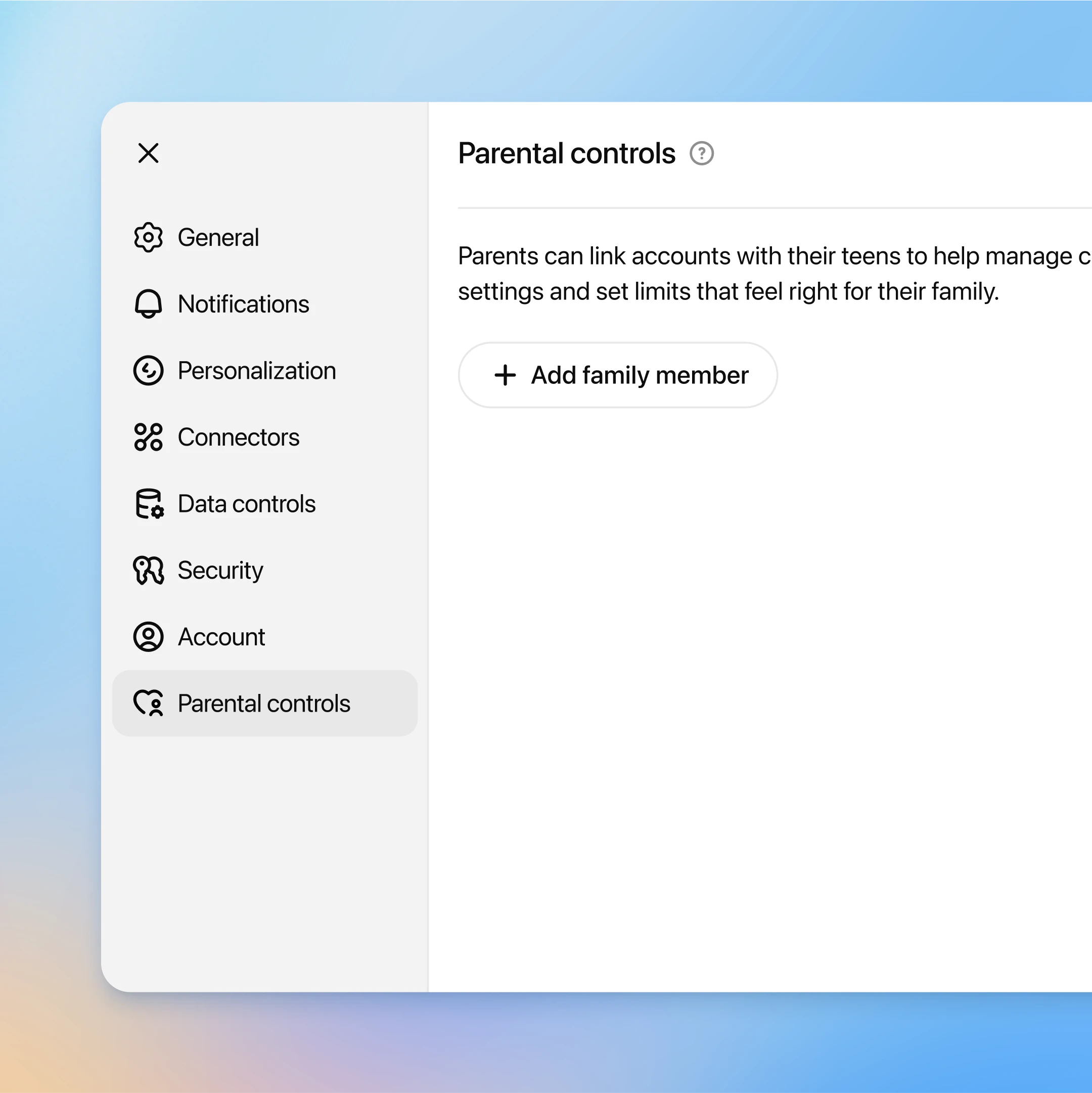
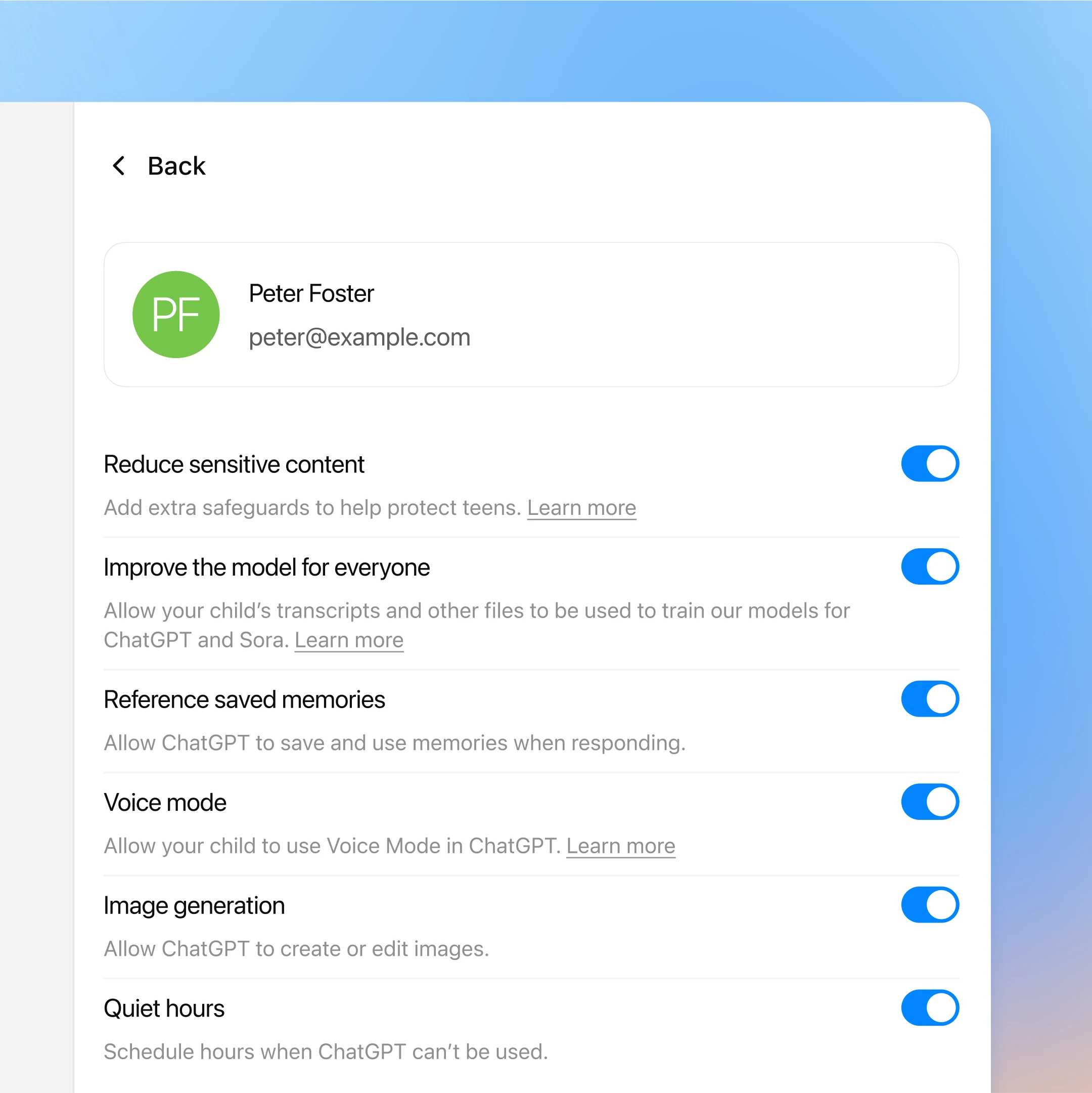

ChatGPT parental controls let a parent link their account to a teen's account, manage settings, set quiet hours, and receive narrow serious-safety notifications. Parents do not get routine access to the teen's chats. In practice, this is a lighter-touch family safety layer built around limits and defaults, not a full surveillance dashboard.
We've reviewed OpenAI ChatGPT (Parental Controls) against our 9-literacy developmental framework. The main growth opportunity: The parental-control layer does little to build internal capacities by itself.
Strengths & gaps
Strengths
- ● OpenAI chose a more privacy-preserving model than read-everything monitoring. Parents can guide settings without seeing ordinary conversations.
- ● The controls assume some teen participation. Account linking is consensual, and teens can unlink, even though the parent is notified.
Gaps
- ○ The parental-control layer does little to build internal capacities by itself. It governs access more than it teaches skill.
- ○ Self-regulation remains external. Quiet hours can stop a session, but they don't teach the teen how to stop themselves.
- ○ Judgment also stays outside the teen. Safety escalation is handled by product policy, reviewers, and the parent account.
Detailed scores
How OpenAI ChatGPT (Parental Controls) performs on each of the 9 literacies in our framework.
Doing
— 0 of 3 Strong
ChatGPT parental controls preserve more teen agency than most monitoring tools because parents do not see routine chats. The teen still directs the conversation. But parents can switch features off and limit access windows, so the environment is still bounded.
This layer does not create a challenge loop or ask the teen to work through difficulty. It is a safety and permissions system. Persistence sits outside the scored scope.
The teen is not being asked to reflect on strategies or revise approaches through the control layer itself. Any adaptability benefits would come from using ChatGPT as a tool. That keeps Adaptability outside scope here.
Thinking
— 0 of 3 Strong
The controls do narrow some topics and features. But the teen still has direct private access to ChatGPT for ordinary exploration, which is a different developmental posture than broad surveillance or hard filtering. Curiosity is constrained, not shut down.
Parental controls can disable creative features. They are not themselves a creative workflow. Creativity is therefore outside the scored layer.
The key safety decisions are made by OpenAI's systems, trained reviewers, and the linked parent. The teen is not practicing much evaluation inside the control model itself. That keeps Judgment weak for this specific scope.
Being
— 0 of 3 Strong
The design tries to keep parents involved without collapsing teen privacy completely. That doesn't directly teach connection, but it does preserve more trust than products that read every message. On balance, the connection signal is modestly positive.
Quiet hours and feature toggles are external controls. They may help families shape usage, but they do not teach transferable self-regulation strategies. The stopping power lives in the settings, not in the teen.
This is a safety layer, not a meaning-making environment. It does not connect use to identity, values, or contribution in any sustained way.
Based on 6 sources
- Product wired.com — openai teen safety tools chatgpt parents suicidal ideation
- Product openai.com — introducing parental controls
- Product help.openai.com — 12315553 parental controls faq
- Product openai.com — introducing the teen safety blueprint
- Product openai.com — updating model spec with teen protections
- Product theverge.com — openais parental controls are out heres what you should know
Reviewed by New Literacies
Scored by our research-derived framework · AI-assisted analysis with editorial review · 6 sources reviewed · Our methodology →
Get the next guide before it goes live
One email when a new product review ships.
Free. No spam. Unsubscribe anytime.