
BlocksCAD
Ages 8-17 · freemium · Product · blockscad3d.com ↗
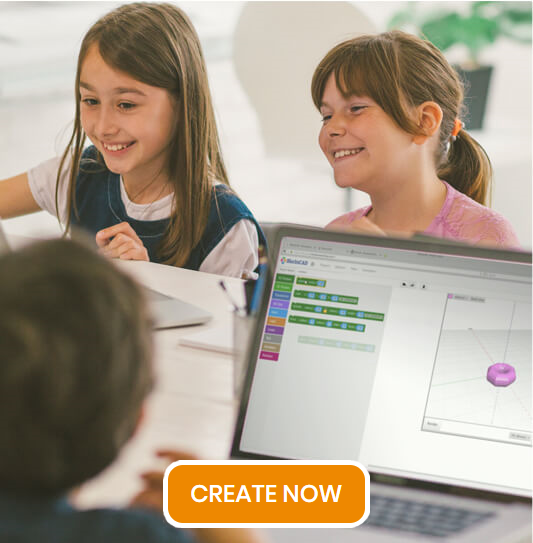


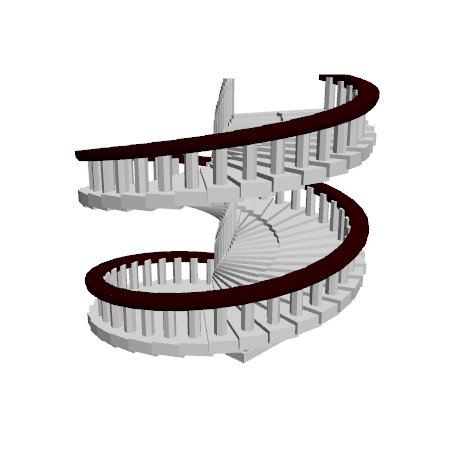
BlocksCAD is a browser-based 3D modeling tool where kids write block-based code to generate 3D shapes. Instead of dragging shapes directly (like TinkerCAD), kids snap together code blocks for spheres, cubes, transforms, loops, and variables, then hit "Render" to see what their code produces. It's based on OpenSCAD, a professional parametric design language, but uses the familiar Scratch-style drag-and-drop interface. Finished designs export as STL files for 3D printing.
BlocksCAD stands out for developmental impact across multiple literacies. It builds hands-on skills, cognitive skills. The main growth opportunity: BlocksCAD is a solo tool.
Strengths & gaps
Strengths
- ● BlocksCAD makes kids think in two languages at once: spatial (what shape do I want?) and logical (what code produces it?). This visual-to-code translation is a genuine metacognitive exercise that direct-manipulation tools don't require.
- ● The parametric nature of code-based design means infinite creative variation. Change one variable and the entire design shifts. This teaches kids that code isn't just instructions; it's a creative medium.
- ● The Scratch-to-OpenSCAD bridge is well designed. Kids familiar with Scratch-style blocks can transfer that knowledge. When they outgrow BlocksCAD, the skills transfer to professional CAD tools.
Gaps
- ○ BlocksCAD is a solo tool. No built-in collaboration or social features. Any connection-building depends on the classroom context.
- ○ The code-based approach creates a higher entry barrier than drag-and-drop tools. Kids who struggle with abstract thinking may find BlocksCAD frustrating before it becomes rewarding.
Detailed scores
How BlocksCAD performs on each of the 9 literacies in our framework.
Doing
— 2 of 3 Strong
BlocksCAD starts with a blank code workspace. The child decides what to build and writes the code to produce it. The Hechinger Report described it as having "the features, flexibility, and power of a professional-level program." Kids own both the design and the process. Finished objects export for 3D printing. The code is theirs.
Debugging is real. The child writes code expecting a sphere and renders a flattened disc. Figuring out which block is wrong requires methodical investigation. But the block-based interface removes syntax friction. Struggle comes from logic and geometry, not from typing errors. Teachers report students learning "incrementally" over time.
BlocksCAD forces constant cognitive switching. To create a 3D object, the child must translate a visual concept into logical code, then interpret the rendered result and adjust. Variables, loops, and conditional logic add layers of abstraction. Teachers used BlocksCAD for units spanning "electricity, magnetism, gravity and force diagrams," requiring transfer across domains.
Thinking
— 2 of 3 Strong
Every render is a discovery moment. The child writes code, hits Render, and sees what their logic produces. Sometimes it matches expectations. Sometimes it surprises. Parametric variables mean small changes create unexpected results. Teachers report students "beg for time to work with the software," suggesting intrinsic curiosity-driven motivation.
BlocksCAD turns code into a creative medium. Kids generate original 3D artifacts through parametric logic. No templates needed. Variables mean a single design concept can produce infinite variations. The constraint of working through code (not direct manipulation) often sparks more creative solutions than free-form tools, consistent with research on creativity through constraints.
Writing BlocksCAD code requires genuine analytical reasoning: which geometric operations produce the desired shape, what parameters to set, how to structure logic. This is real mathematical judgment. But it stays within the coding/geometry domain. BlocksCAD doesn't develop judgment in the broader sense of evaluating competing information or weighing perspectives.
Being
— 0 of 3 Strong
BlocksCAD is a solo coding tool. Google Classroom integration manages student work but doesn't create interaction. Connection is outside its design scope.
Debugging creates genuine frustration. The gap between expected and actual render output is emotionally challenging. Kids must manage that disappointment and methodically work through the problem. But BlocksCAD provides no emotional scaffolding, no coping strategies, and no explicit support for managing the frustration it creates.
Designs export to STL for 3D printing, connecting code to tangible artifacts. The partnership with SOLIDWORKS and connection to professional OpenSCAD creates career pathway visibility. Kids discover whether they enjoy coding and 3D design. But Purpose isn't intentional in BlocksCAD's design.
Based on 8 sources
- Research solve.mit.edu —
- Research eduporium.com — rising resources blockscad for 3d modeling
- Research edutechwiki.unige.ch — BlocksCAD
- Product hechingerreport.org — kids code their own 3d creations with new blocks based design program
- Product matterhackers.com — blockscad for education review
- Product portal.nifa.usda.gov — 1019572 builders classroom blockscad for understanding innovating and learning design engineering for the stem classroom.html
- Product slate.com — blockscad lets students code their own 3 d creations.html
- Product blogs.solidworks.com — new stem steam lessons with blockscad and solidworks apps for kids.html
Reviewed by New Literacies
Scored by our research-derived framework · AI-assisted analysis with editorial review · 8 sources reviewed · Our methodology →
Get the next guide before it goes live
One email when a new product review ships.
Free. No spam. Unsubscribe anytime.
See other products strong in the same literacies: